

WELCOME TO The Family
A quick guide to booking services, communicating with our team, and preparing for exceptional pet care.
Why Families
Trust Us
- Licensed, bonded & insured
- Background-checked team
- Pet First Aid & CPR certified
- Ongoing professional training
Start Here
Now that your Meet & Greet is complete, get your account ready in Time To Pet.
Download the app for your device:
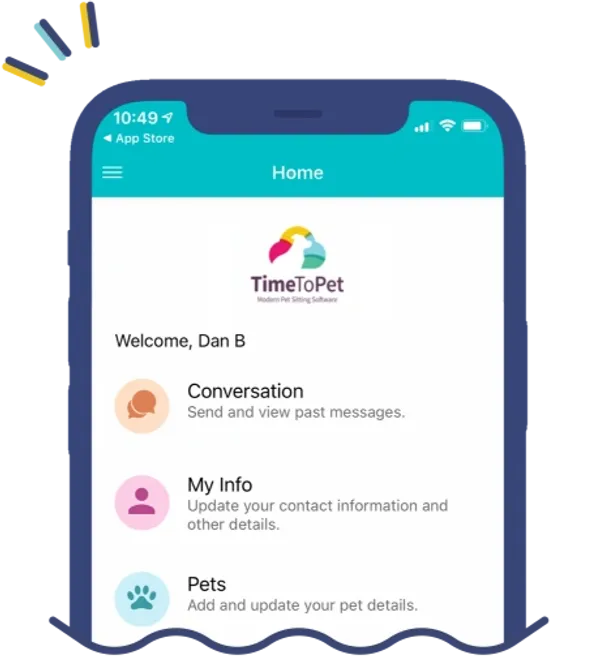
Your Quick-Start Checklist
- Download the Time To Pet app and log in.
- Review and sign your service agreement.
- Update your contact info and household details.
- Complete pet profiles and care instructions.
- Add a valid payment card.
- Add an approved home-access method.
- Submit your first service request.
Your Client Portal
What you can do in the app
- BOOK
- Request and manage services.
- CONNECT
- Message the Kate’s K9 team.
- PAY
- View and pay invoices.
- UPDATE
- Keep pet and home details current.
- FOLLOW
- Get photos, GPS updates, and report cards.
- ACCESS
- Maintain current entry instructions.
Chat vs. Private Tabs
CHAT: Use for visit updates and direct messages with the sitter currently caring for your pet.
PRIVATE: Use for scheduling, billing, account questions, or the admin team.
Keep it current: Update routines, feeding, or home access before your next visit.

Plan Your Care
Scheduling & Your Care Team
How Scheduling Works
- Request all services through Time To Pet.
- Bookings are confirmed only after approval by Kate’s K9.
- Requests within 24 hours include a same-day fee.

Arrival Windows
- 6–9 AMEarly Morning
- 9 AM–12 PMMorning
- 12–3 PMAfternoon
- 3–6 PMLate Afternoon
- 6–9 PMEvening
Exact arrival times cannot be guaranteed due to traffic.
Your Care Team
A dedicated team of professionals is assigned to your pets.
Backup sitters may assist to support staff well-being.